Take maintenance requests from report to fixed
A leak rarely arrives as a tidy work order. It comes in as a text at 9 p.m., a blurry photo and a question about whether someone can come by tomorrow. Then you're forwarding the photo to a plumber, chasing the tenant for a time, and trying to remember who said they'd handle it.
Maintenance requests in Kera keep that in one place. Tenants report the problem from their portal, with photos and when someone can come in. You set the urgency and status, hand the job to a vendor or a teammate, message the tenant from the request, and close it with notes when the work is done.
Let tenants report a problem in a few steps
In the tenant portal, a request takes a few short questions: where the problem is, what's not working, what kind of issue it is and how urgent, any photos, and whether someone can come in. Tenants can attach up to ten photos or MP4, MOV or WebM videos, up to 5 MB each.
If the tenant says yes to entry, they can add the windows that suit them. If they choose Ask me first, the request tells you to check with them before anyone goes in. Tenants can follow the request's status, add photos later and message you from the request.
See what needs attention first
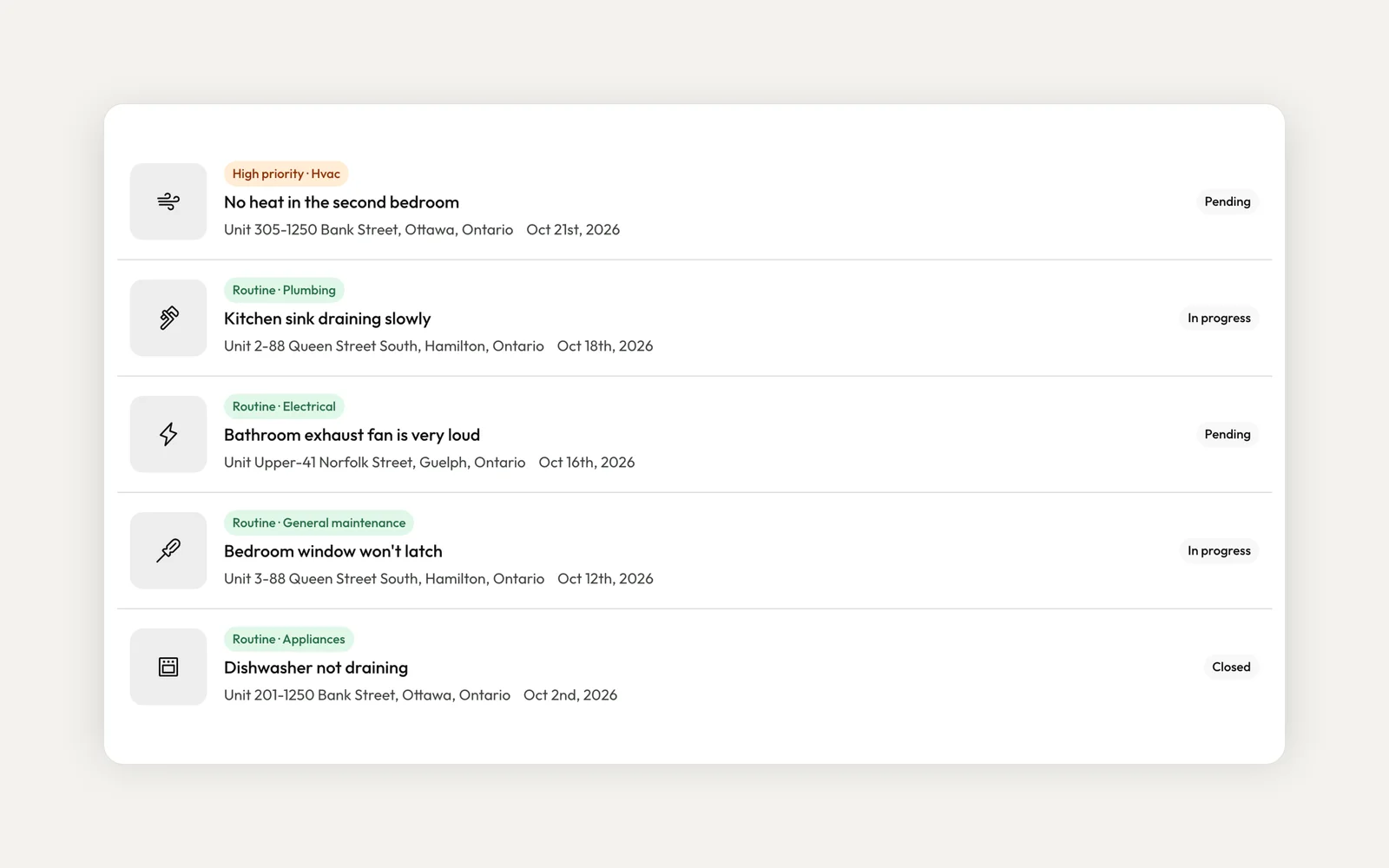
Every request has a property or unit, a category and an urgency: Routine, High priority or Emergency. You can also log a request yourself, including one for a whole building rather than a single unit. Requests created from a flagged inspection item link back to the inspection they came from.
Quick filters show what's pending, in progress or completed, and you can filter by status, urgency, category and date. Whoever reports the problem chooses its category and urgency, and you can change the urgency from the request's Actions. Kera doesn't guess either one for you.
Hand the job to a vendor or a teammate
From a request's Actions, choose a vendor. Vendors you've marked as preferred for that property appear first, under their own heading, so the usual plumber is one click away.
If you work in an organization, you can also assign the request to a teammate. The assignee is notified in the app and by email, depending on their notification settings. Kera also tells them when someone else changes the status or urgency or closes the request. Tenants and owners can see which teammate is handling it.
Keep the tenant in the loop and close it out
Message the tenant straight from the request when you need a time, a photo or a quick update. Move the status from Pending to In progress as the work starts.
When it's done, set the status to Closed and choose how it ended: completed, cancelled, deferred or no action needed. Add notes, and attach a vendor bill or expense if the work cost something and your plan includes accounting. A closed request can be reopened, and its resolution stays on the record. Once a request is closed, you can archive it to keep your list clean.
To get started, open Maintenance Request and choose Add request, or invite your tenants to the tenant portal so they can report problems themselves. Adding requests as a landlord needs an active Kera subscription. For what to do when something breaks overnight, read our guide to after-hours emergency maintenance.
Run your whole business on Kera
Flat pricing, no per-door fees. Built for property managers.