End a lease with the right form for your province
Shipped in v2.474.0You can end a tenancy in Kera by starting with one question: why is it ending? Choose the reason and Kera names the form your province uses for it, such as the N4 for unpaid rent in Ontario or the N12 when you or a family member is moving in. It asks only what that form needs, fills it in and works out the dates.
Ending a tenancy is where small mistakes cost the most. Each reason has its own form, its own notice period and its own way of counting days, and a wrong form or a wrong date can mean starting over. Kera keeps the reason, the form, the dates and the proof of service together on the lease.Note 1
Start from the reason, not the form
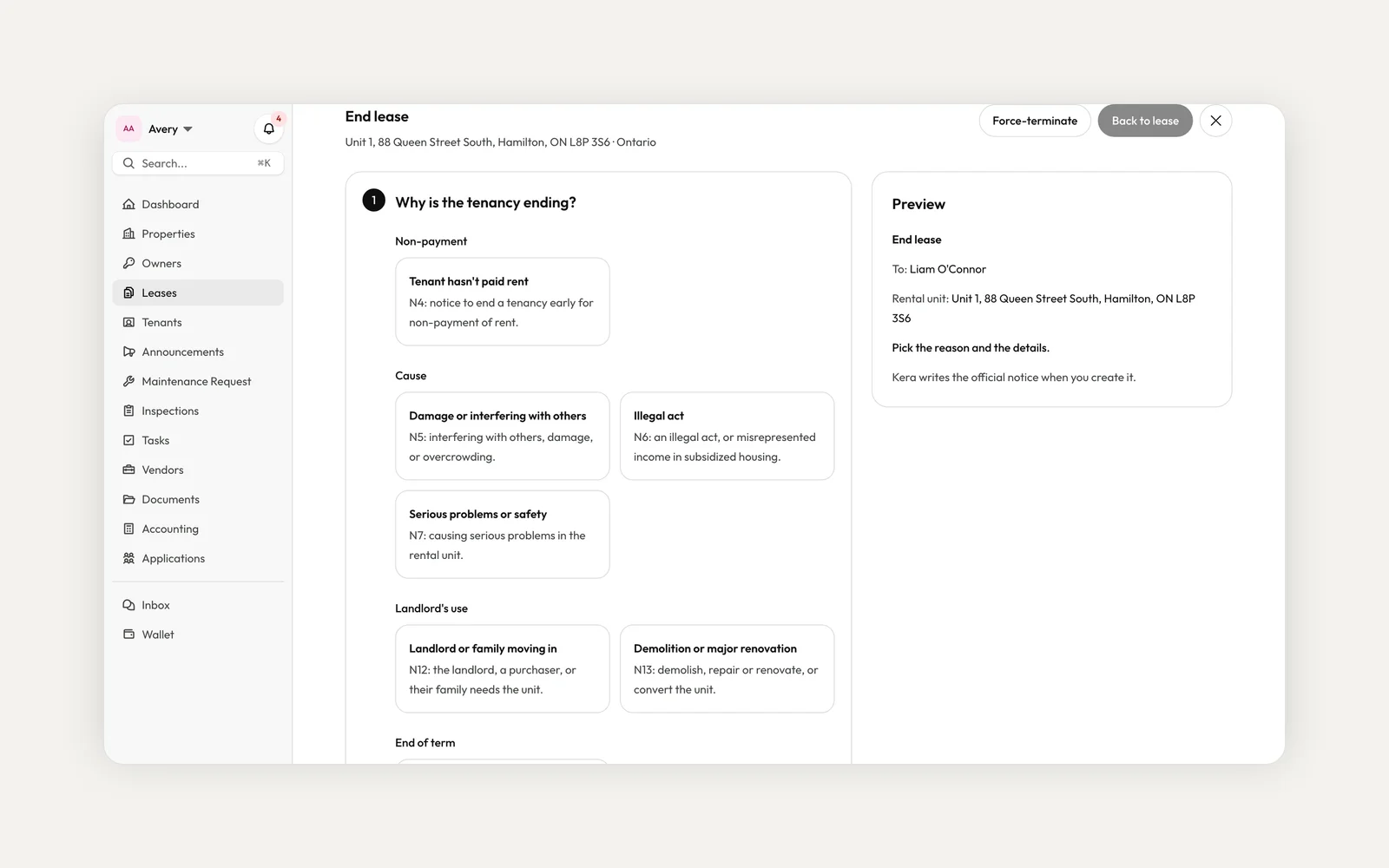
On the lease, choose Actions, then End lease. Kera groups the reasons into non-payment, cause, landlord's use and end of term. On an Ontario lease each card names its form, for example N4 when the tenant hasn't paid rent, N5 for damage or interfering with others, N6 for an illegal act, N8 for persistent late rent, N12 when you or family are moving in, and N13 for demolition or major renovation.
Kera prepares termination notices for Ontario, BC, Alberta, Manitoba, New Brunswick, Nova Scotia, PEI and Newfoundland and Labrador. Where Kera doesn't have the form, or a reason needs an order or approval first, the card says so and you upload or record the notice instead. Kera doesn't prepare Quebec forms.
Let Kera fill the form
Pick "Kera writes it" and Kera asks only the questions that form needs, like the rent owed and the period it covers for an N4. It fills in the form from your answers and the lease, and shows you a preview before you sign. Already have a notice you prepared yourself? Pick "I already have the notice" and upload it.
Some reasons start with a notice that gives the tenant time to fix the problem. When that applies, Kera asks about it first. Choose Send one through Kera, or record one you gave outside Kera with the date the tenant had to fix it by.
Sign, serve and record it
You sign the notice in Kera's editor, then serve it. Where your province allows email service and every tenant has agreed to it in writing, Kera can email the notice with the PDF attached and record the service. Otherwise, serve it yourself and record how and when. Either way, Kera creates a Certificate of Service once the notice is served. Kera works out the termination date from the service method and shows the end date on the lease. If you're not serving it today, choose to serve later and Kera adds a task to serve it.Note 1
A banner on the lease shows the termination in progress, with a way to manage it. You can withdraw a notice, and people whose role allows it can force-terminate a lease. End lease also works on record-only leases you've imported.
End a tenancy by agreement
When you and your tenants both want the tenancy to end, pick Both parties agree. Kera prepares the agreement your province uses, such as the N11 in Ontario or the RTB-8 in BC, or its own agreement in other provinces. You choose the last day of the tenancy and the move-out time, and nothing is served.
Every tenant on the lease signs. Sign online and Kera emails each tenant to sign, or print it, have everyone sign on paper and upload the signed copy. Tenants can also ask to end by agreement from their lease, and you prepare the agreement or decline. In Quebec, you upload the agreement everyone signed and Kera records it.
Check every notice before it goes out
Kera fills the form from what you tell it, so the notice is only as right as your answers. Read the preview, check the dates and the amounts, and make sure the way it's served is one your province allows. If you're unsure which reason fits, talk to a lawyer or paralegal before you sign.
Questions about ending a lease
Can Kera serve the notice for me?
Where your province allows email service and every tenant has agreed in writing, Kera can email it with the PDF attached and record the service. Otherwise, you serve it and record how and when. Either way, Kera creates the Certificate of Service, and you choose the method of service.
Which provinces does Kera prepare termination notices for?
Ontario, BC, Alberta, Manitoba, New Brunswick, Nova Scotia, PEI and Newfoundland and Labrador. In other provinces, or when you prefer, you upload a notice you prepared yourself.
Can I use a notice I already prepared?
Yes. Choose "I already have the notice" and upload it. Kera still records the service and tracks the dates on the lease.
Can a tenant ask to end the tenancy by agreement?
Yes, outside Quebec. The tenant asks from their lease with the date they'd like, and you prepare the agreement or decline the request.
Why don't I see End lease on a lease?
Ending a lease is controlled by role permissions. If you're on a team and don't see it, ask your administrator.
To get started, open a lease, choose Actions, then End lease, and pick the reason. End lease is available to landlords and property management teams for leases in Canada.
- Kera fills in government forms and notices, such as Ontario's N forms and notices of entry, from the information you enter. Kera can email a notice where your province allows it and every tenant has agreed in writing; you're responsible for choosing a valid method of service and for the notice's contents. Check each notice before you sign it. Kera doesn't file notices for you. This is not legal advice. ↩
Run your whole business on Kera
Flat pricing, no per-door fees. Built for property managers.