Bring your portfolio into Kera from the files you already have
Shipped in v2.428.0Today you can bring your portfolio into Kera from the files you already keep. Upload rent rolls, leases or statements, and Kera reads them and proposes properties, leases, tenants and owners for you to review.
Moving to new software usually means retyping every property, lease, tenant and owner, which is often why people put the move off for another year. With import, you stay in charge of what goes in. Every proposed record waits in a review screen, sorted by whether it needs your attention, and nothing touches your live portfolio until you approve it. Kera's reading of a file can be wrong, so plan to read through every proposal.Note 1
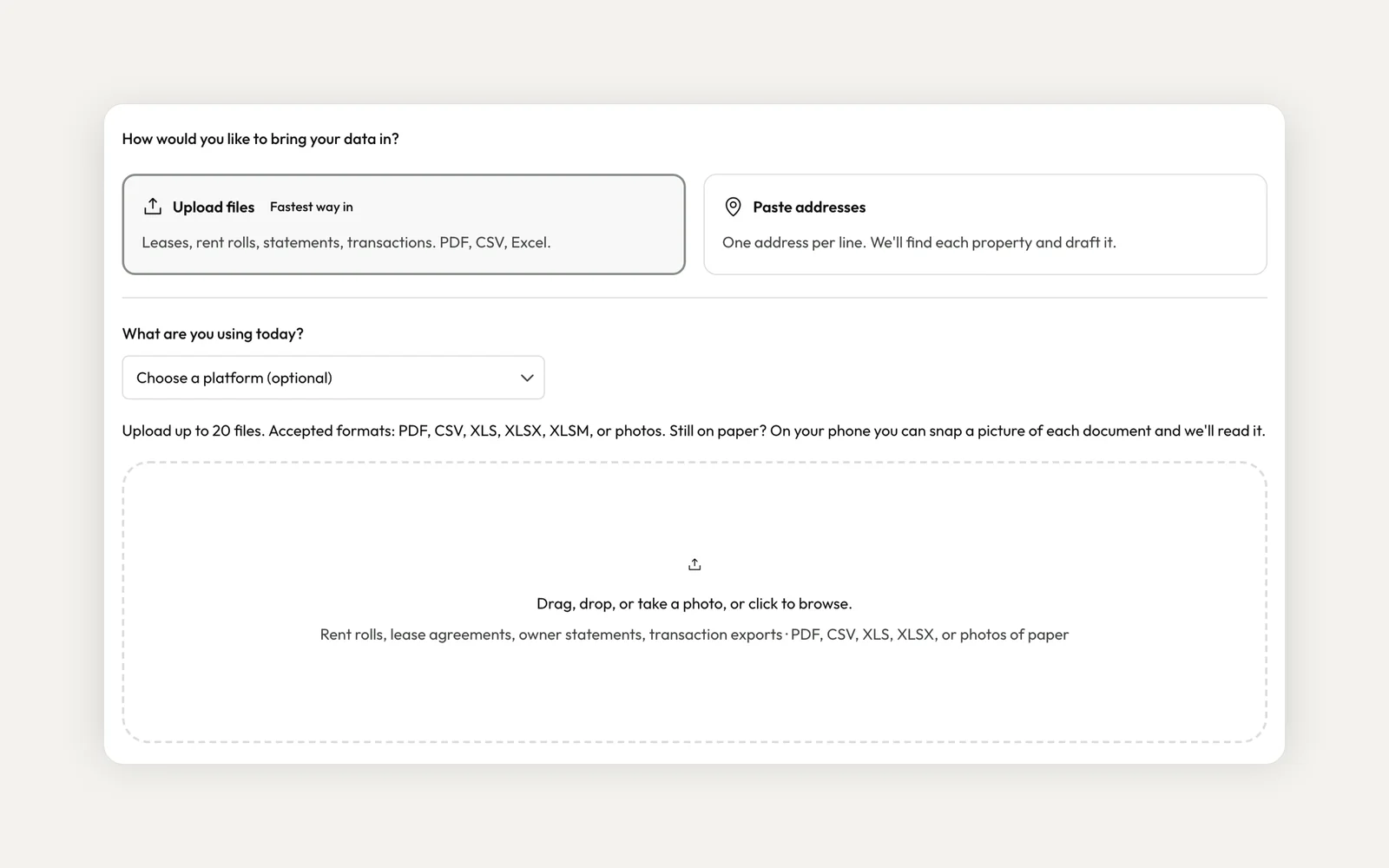
Upload the files you already keep
Upload up to 20 files at once: rent rolls, lease agreements, owner statements or transaction exports. Kera accepts PDF, CSV, XLS, XLSX and XLSM. Still on paper? Take a photo of each document and upload that instead.
If you only have addresses, paste up to 500 of them, one per line, and Kera proposes a property for each. You can also tell Kera which software you're moving from, and it shows the export steps for platforms such as TenantCloud and DoorLoop. Kera reads the files in the background, so you can leave the page. It emails you when the import is ready to review.Note 2
Review what Kera found, one tab at a time
The review screen sorts every proposed record into four tabs: Needs a look, Ready to import, Not importing, and Left out by Kera. A record in Needs a look says in plain words what Kera noticed, such as a lease with no dates in the file. Rows Kera skipped are grouped by reason, so you can see what was left out and why.
For each held record, fix its fields, choose Import as is, or choose Don't import. Step through them one by one, or use Import all as is for the held records that can come in without changes. When two leases cover the same unit at the same time, Kera flags them for you to sort out rather than picking one.
Approve, then bring it in
The button to bring records in stays off until every record in Needs a look has a decision. Then Kera asks you to confirm how many records to bring in, and creates the properties, leases, tenants and owners you approved. Everything in Ready to import comes in together in that one step.
Pay extra attention to links. When a record matches a property you already have in Kera, it's proposed as a link to that property, and you decide whether to accept it. When the import finishes, Kera shows what was imported, and anything that failed with its reason.Note 1
To get started, choose Bring what you have when you set up your Kera account, or Start with your addresses if you only have a list. You can review the import without leaving setup. On a team, starting an import needs the Create Entities via AI permission. If you've already finished setup, open Settings and choose Migrate data. If you don't see it, or you'd like a hand, contact us and we'll help.
- Imports are proposals. Kera reads your files and suggests records, and nothing is created until you review and approve them. Check each record, especially links to properties already in Kera, before you import. ↩
- Kai and Kera's other AI features can be wrong. Check important answers and drafts against your records before you rely on them. Kai doesn't save or change anything until you confirm, and it can only do what your role allows. AI drafts and compliance checks are a starting point for your own review, not legal advice. ↩
Run your whole business on Kera
Flat pricing, no per-door fees. Built for property managers.